cURL command
server
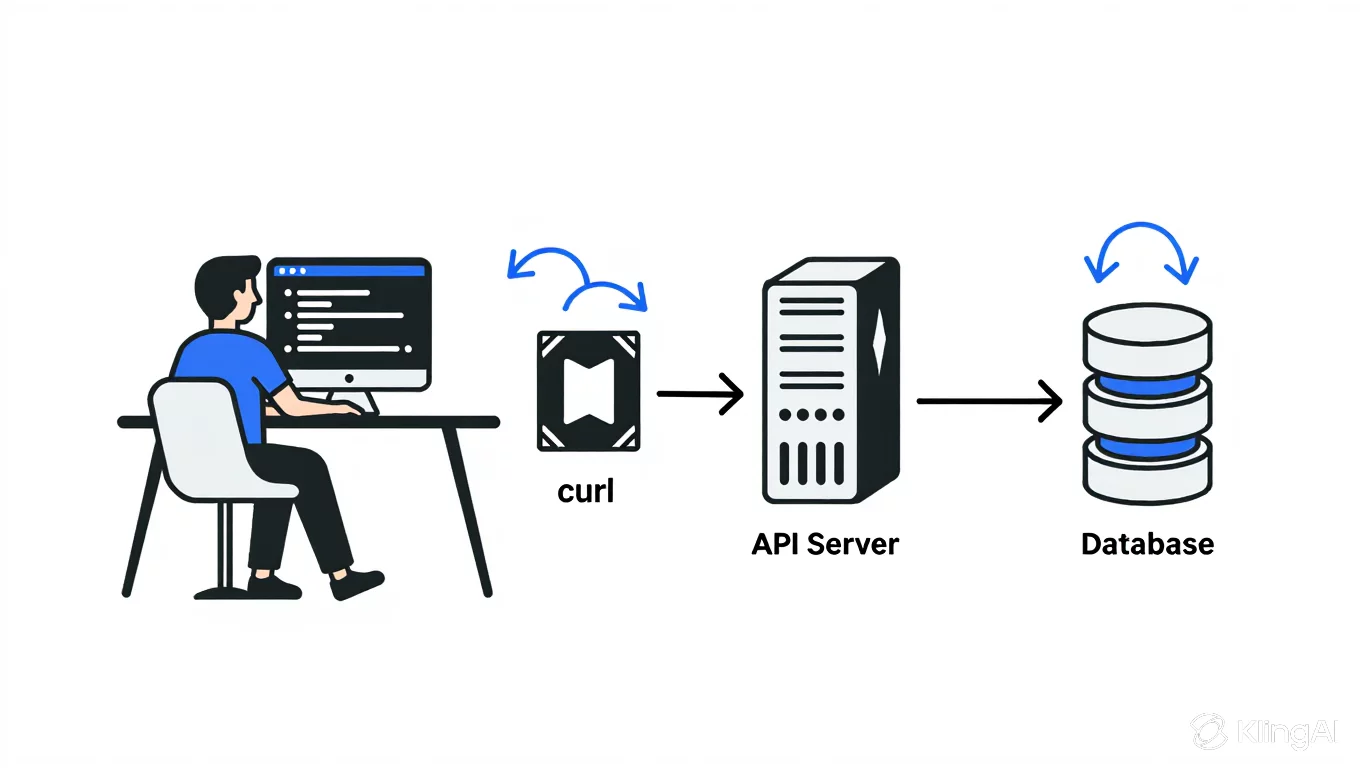
server is a any computer, hardware device, software application which provide services, data , recourses to another computer or we can say client over a network. these computers are run on client server model. client send HTTP request (PUSH, GET, DELETE, PUT) to server and server process the request then send a HTTP response. server is backbone of internet. cURL command is used to talk to any server which accessible. but the question is why we have to talk to server.
purpose of talk to the server is to access the services, recourses , and functionalities to another clients or computer in wide range.
cURL command
cURL command is tool for sending or receiving data from or to server.
it is to work without user interaction.
it support many protocol like DICT, FILE, FTP, FTPS, GOPHER, GOPHERS, HTTP, HTTPS, IMAP, IMAPS, LDAP, LDAPS, MQTT, POP3, POP3S, RTMP, RTSP, SCP, SFTP, SMB, SMBS, SMTP, SMTPS, TELNET, TFTP, WS, WSS.
we enter URL and Data (sending or receiving) in curl command for interact with server.
it provides resume transfer, limit bandwidth, use proxies, add user authentication etc.
cURL command used by developer and system administrator for:
testing APIs
to view response header
make HTTP request
curl is powered by libcurl for all transfer-related features. See libcurl(3) for details.
syntax
syntax for curl command is as follows:
curl [option] [URL]...

like :
        curl -L example.com
        curl http://example.com
The URL syntax is protocol-dependent. You find a detailed description in RFC 3986.
If you provide a URL without a leading protocol:// scheme, curl guesses what protocol you want. It then de‐ faults to HTTP but assumes others based on often-used host name prefixes. For example, for host names starting with "ftp." curl assumes you want FTP.
You can specify any amount of URLs on the command line. They are fetched in a sequential manner in the specified order unless you use -Z, --parallel. You can specify command line options and URLs mixed and in any order on the command line.
curl attempts to reuse connections when doing multiple transfers, so that getting many files from the same server do not use multiple connects and setup handshakes. This improves speed. Connection reuse can only be done for URLs specified for a single command line invocation and cannot be performed between separate curl runs.
Provide an IPv6 zone id in the URL with an escaped percentage sign. Like in
"http://[fe80::3%25eth0]/"
Everything provided on the command line that is not a command line option or its argument, curl assumes is a URL and treats it as such.
GLOBBING : You can specify multiple URLs or parts of URLs by writing lists within braces or ranges within brackets. We call this "globbing".
Provide a list with three different names like this:
"http://site.{one,two,three}.com
or you can get sequences of alphanumeric series by using [] as in.
GET and POST requests
GET and POST are the http request methods use in client-server communication. GET is for reading ,fetching ,retrieving data from server and post is for sending data on server.
cURL use GET request by default for example curl -L google.com command get html code of google.com but, if you don’t explicitly specify a method, the default request type is GET by default.
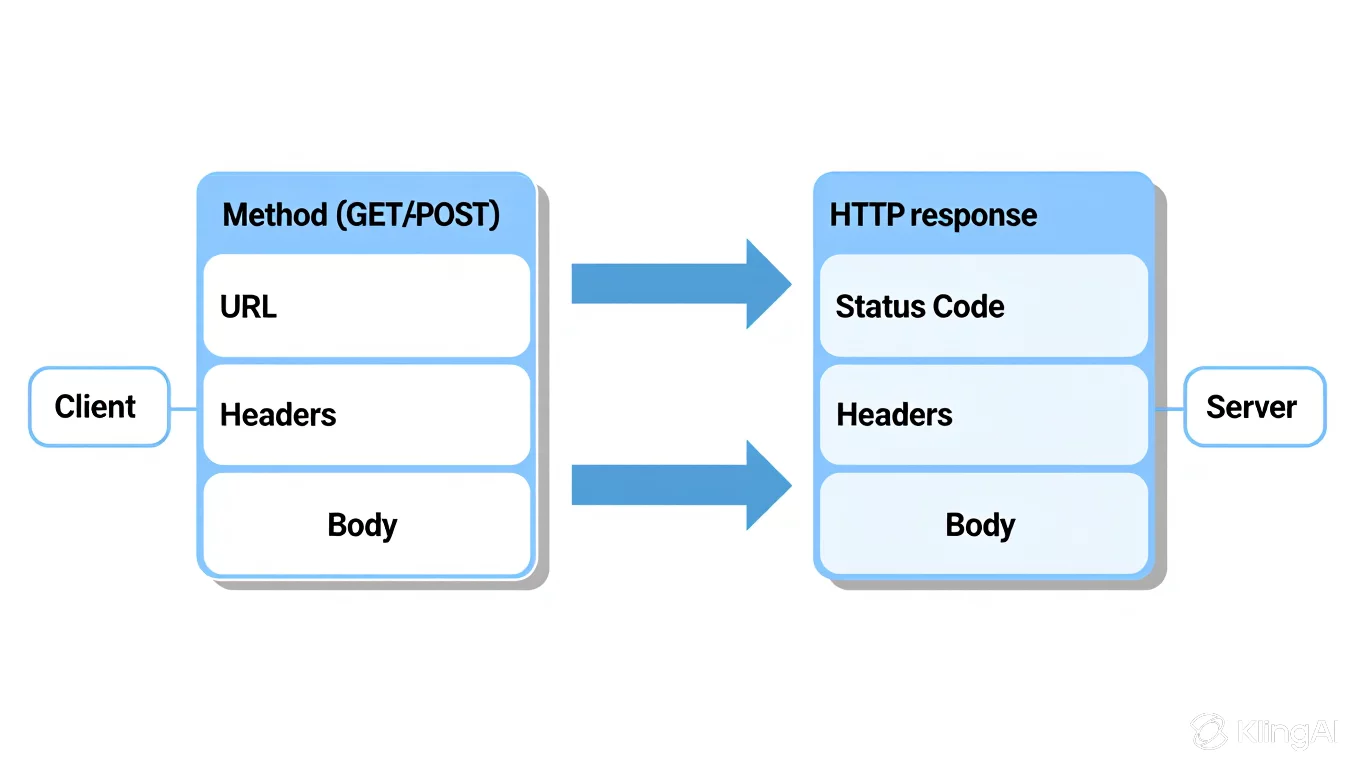
general syntax for POST request is curl -X POST [option] [URL].
-x option for http method used as POST
add -d or --data option to including data payload.
for example if have to send a message on https://www.example/post :
curl -X POST -d "hello , server" https://www.example.com
for sending JSON data we can use :
-H option to set content-type header to application/json.
-d option include json payload.
curl -X POST -H “Content-type : application/json” \ -d {} https://www.example.com/post
Some uses of cURL command-
1) send message to the server
for example: we have to send a general greeting message to server.
you type curl -d "message=hello, server" https://httpbin.org/post in your terminal and hit enter this will give you a Json response :
  "args": {},
  "data": "",
  "files": {},
  "form": {
    "message=hello, server": ""
  },
  "headers": {
    "Accept": "*/*",
    "Content-Length": "13",
    "Content-Type": "application/x-www-form-urlencoded",
    "Host": "httpbin.org",
    "User-Agent": "curl/8.5.0",
    "X-Amzn-Trace-Id": "Root=1-697c7efb-1f52ab254a25af1c660be675"
  },
  "json": null,
  "origin": "106.221.246.95",
  "url": "https://httpbin.org/post"
}
2) fetching a webpage
you can get HTML structure of a webpage using curl command-
if you type curl google.com in your terminal instead of giving Full Html structure it will gives you a HTML <a> tag which redirect to www version of this webpage.
to solve this problem, you can write full URL like https://www.google.com OR add a -L option which instruct curl to follow any redirect until it reaches the final destination.
so, curl -L google.com command gives you HTML structure of this webpage.
curl google.com
curl -L google.com
3) send cookies
you can send cookie to a server in several ways.
you can use --cookie or -b option that allows you to attach one or more cookies directly in http request.
you can use -H option that set http header to cookies and you write cookie in header.
for example you have to send cookies on https://example.com you can use this command.
curl -H "Cookie: sessionid=abc123; theme=dark" https://example.com
you can use this command which provide cookies of use to direct server using this command:
curl -b "session-id=abc123" https://example.com
if your cookies are save in any file. You can send cookies file to the server through this command:
curl -b cookies.txt https://example.com
4) working with api
some time we working with api through this command we can request json data to the API.
curl -sS -H "Accept :application/json" https://example.com
if server required we can send basic Auth credentials for authentication
curl -u user:passwd https://example.com
conclusion:
curl command is command line tool that allows you to transfer date from OR to remote host. it is useful for troubleshooting issue , downloading files and many more tasks.
thank you all to reading this article.👍